📸
cliche.
Screenshot any page. Get a URL. Just Bun.
Ouistiti ! 🐒
# shoot a page, push it to your bucket, get the URL
$ bunx @voila.dev/cliche http://localhost:3000 shot.png --upload
https://assets.example.com/cliche/2026-08-29-shot-d1cf773c.png

# same tools, for your agent
$ claude mcp add cliche -- bunx @voila.dev/cliche mcp
0 dependencies
CLI + MCP
any S3 bucket
100% local
Why
👀 Front-end PRs you can see
A diff shows the code. A screenshot shows what the user gets. Put both in the PR and review stops being guesswork.
🪣 A photo album, by accident
Keys are content-hashed and dated, so nothing overwrites anything. Your bucket ends up holding what your app looked like, release by release.
How it works
📸
1. Capture
Bun.WebView renders the page. WKWebView on macOS, your
Chrome elsewhere. Nothing to install.
cliche localhost:3000 shot.png
→
🪣
2. Upload
Bun.S3Client pushes it to your bucket. R2, S3, MinIO,
anything that speaks S3.
--upload --prefix pr-123
→
🔗
3. Paste
The URL lands on stdout. Add --markdown for an image line
you can paste as is.
gh pr edit 123 --body "…"
The album 📔
One command opens your bucket as a photo album, month by month. Here it runs on tries.care's screenshots:
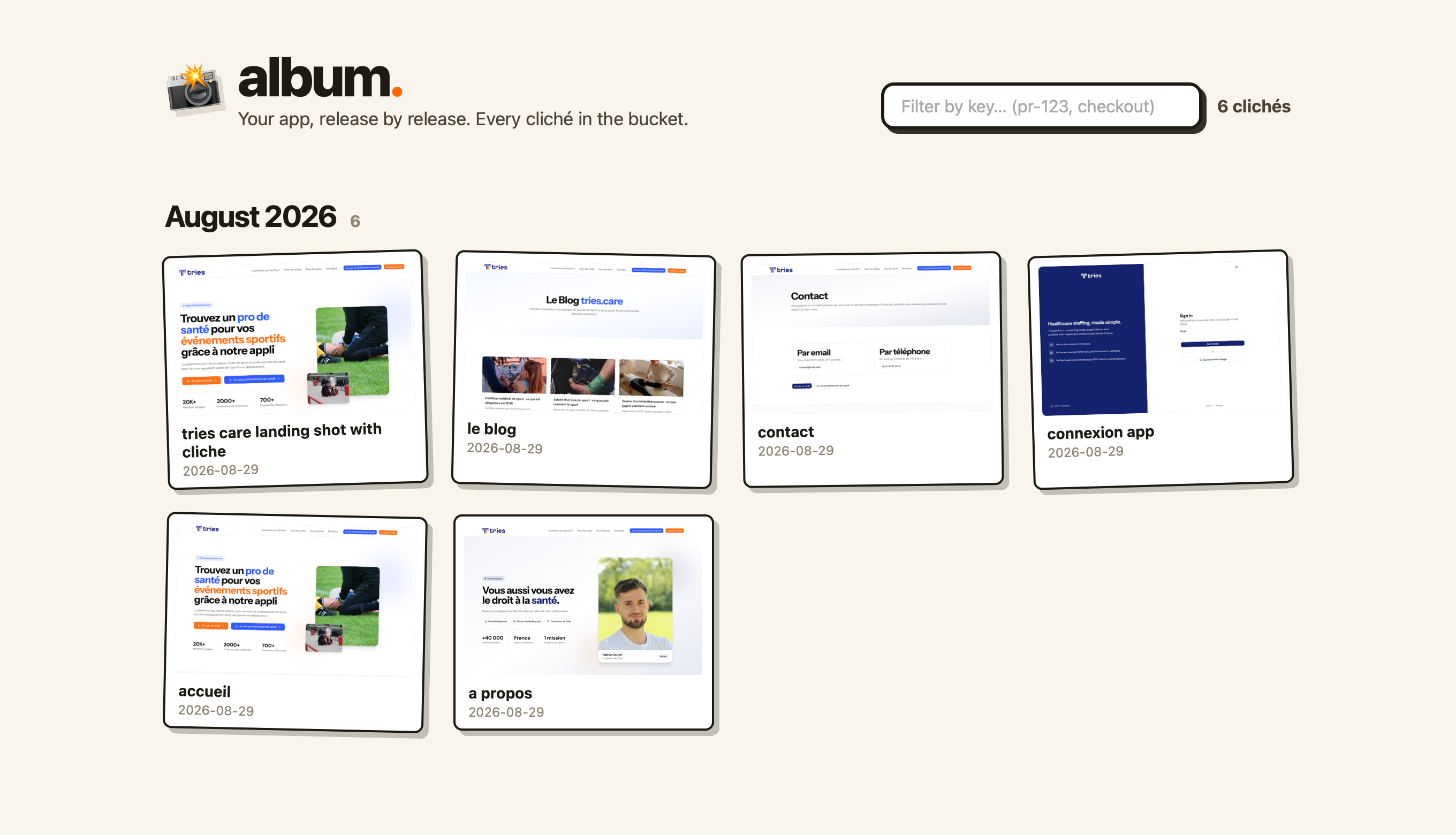
Shot with cliche, obviously.
What's in the box
- Capture: viewports,
--full-page,--wait-for,--scroll-to, and--local-storageto boot logged-in screens. - Upload:
CLICHE_BUCKET,CLICHE_ENDPOINTand the two keys. Everything is prefixed, so it never collides with variables you already have. - MCP:
cliche mcpservesscreenshotanduploadto any client over stdio. - R2 in one command:
cliche setupcreates the bucket through your wrangler login and writes.env. - Claude Code skill:
cliche skilldrops a PR-screenshots skill into.claude/skills/. Also at /skill.md.